eEtisal Support
Add family & friends to your call
Turn any eEtisal call into a group call with the people you love. Adding someone is completely free.
-
Step 0
Before you start
The people you want to add (the joiners) need to be ready to receive calls:
- They have downloaded and installed the eEtisal app.
- They have opened this screen in the app and allowed everything it lists: Profile Profile Management Incoming calls
- Their screen says Incoming calls: ready and I want to receive calls is turned on.
- You have their 6-digit User ID in hand.
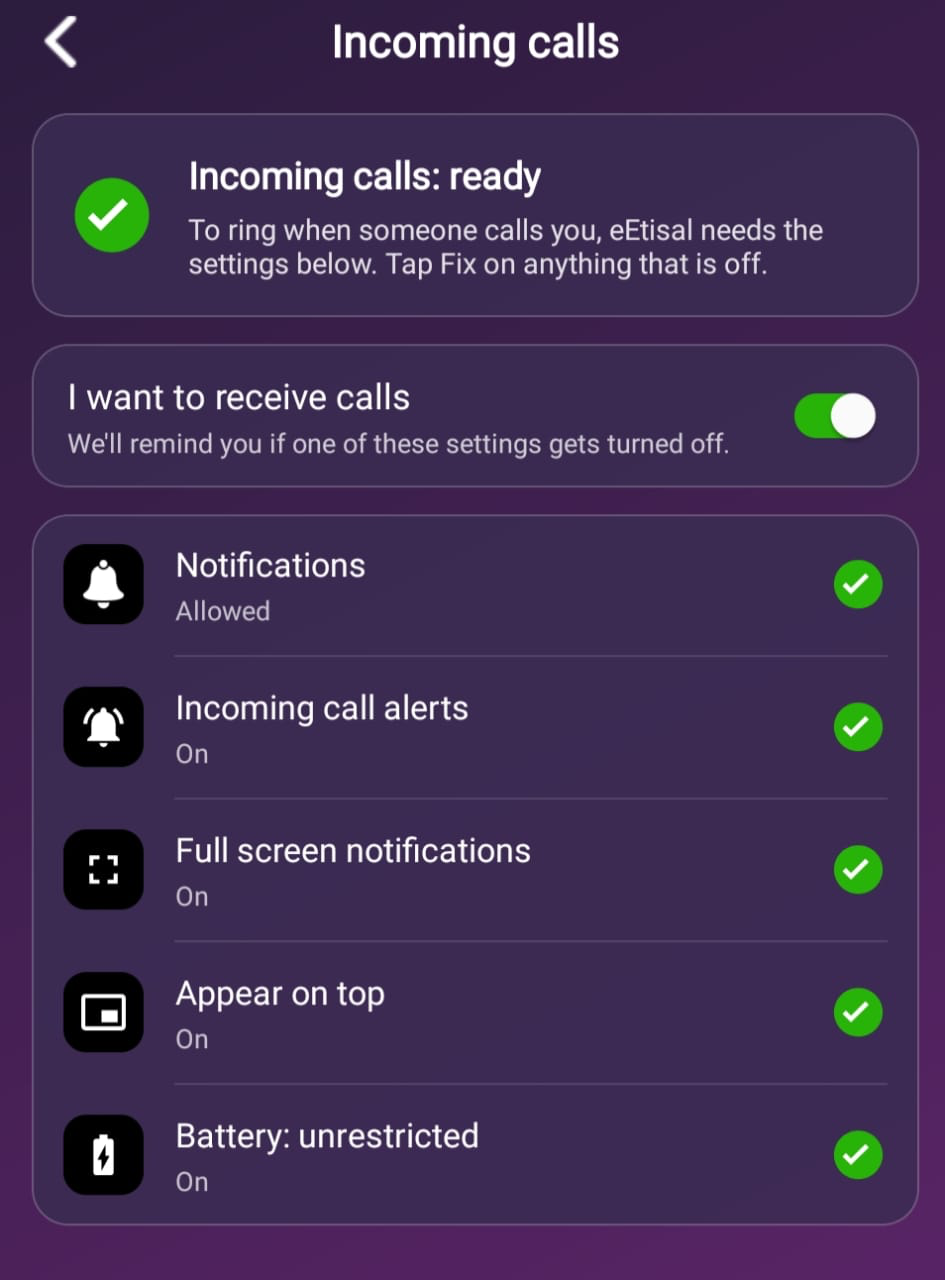
This is what their Incoming calls screen should look like. -
Step 1
Make your call
Call the first person the way you always do.
-
Step 2
Add the next person
Once they answer, tap Add call, enter the 6-digit User ID, and tap Add to call.
-
Step 3
Wait for them to join
Wait while it rings. When they join, you'll see them on your screen under Live Conference. That's it!
Want more people on the call? Repeat Step 2 for each person.
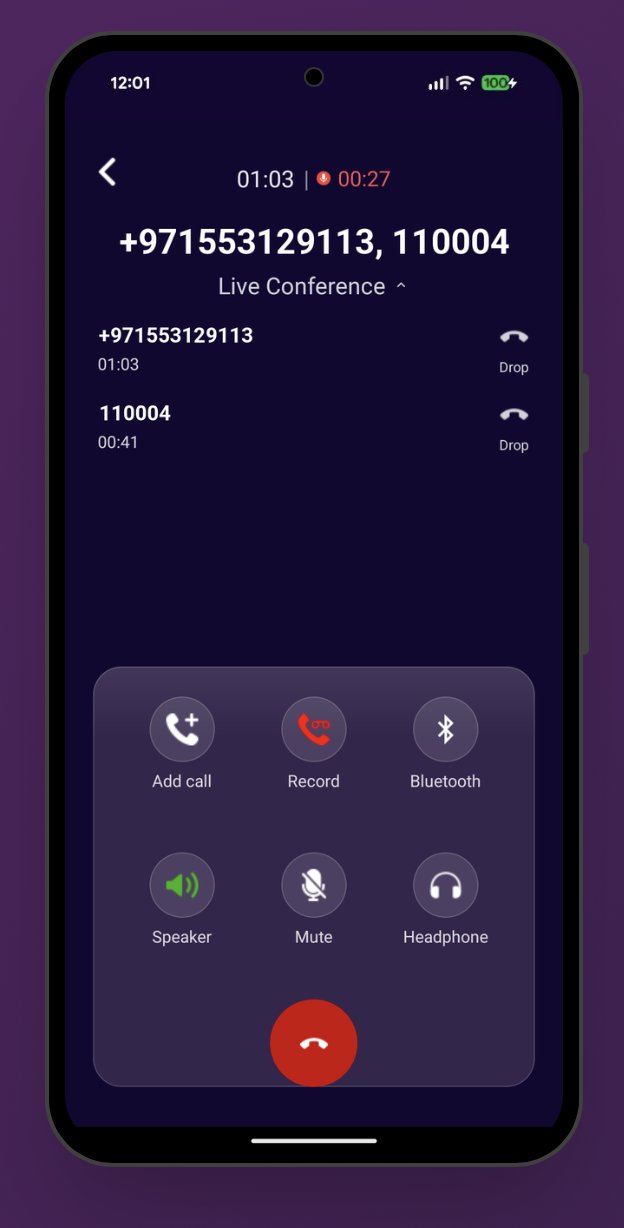
Everyone on the call is listed under Live Conference.